-
 files/fYi5odzMi0yg7v8uvmPWNQ.c-m.jpg
-
 files/Jxx-ZygiZU-6lJgI54bYgA.c-m.jpg
-
 files/hu1xg81RpkiS_QRRnWgc_w.c-m.jpg
-
 files/9uutL-ZhDkqJ5rAOA7xQng.c-m.jpg
-
 files/v7IdZDik8kCqtwNoo9uIRw.c-m.jpg
-
 files/0svrpLxswUmNjxYvWlLVCQ.c-m.jpg
-
 files/re7POxYvykyUv-KXZV9Eiw.c-m.jpg
-
 files/blPIPLwVsUiW-Q7vmTM09A.c-m.jpg


Galaxy Book5 360 (15.6", Core Ultra 7, 16GB)
Experience a new level of transformative AI performance with the super-fast Intel® Core™ Ultra processor (Series 2), upgraded graphics and an advanced NPU capable of up to 47 TOPS. Harness all that power to blaze through heavy workloads, video editing and easily complete AI-intensive tasks with incredible speed.
Stay powered up from morning to night1~5
Charge once, stay productive all day with the long-lasting battery of Galaxy Book5 360, supporting up to 31 hours of video runtime. To power up, plug in the compact charger to get up to 39% in just about 30 minutes using fast charging.
Surround yourself with Dolby Atmos audio
Tuned with Dolby Atmos, the speakers on Galaxy Book5 360 fill your space with rich, immersive sound. Whether you're catching up with studies, video chatting or tuning into your favorite music, enjoy dynamic audio that keeps you engaged from start to finish.
Plug and play
Galaxy Book5 360 is equipped with a wide range of ports. Hook up essential devices to your workstation with ease using the two built-in Thunderbolt 4 ports, HDMI, USB-A, microSD card slot and Headphone/Mic.
Wi-Fi 7. Full speed ahead
Go online, stay online — Wi-Fi 7 is up to 4.8x faster than Wi-Fi 6, letting you connect reliably with lightning speed. Join online meetings, share updates and stay in touch easily with smooth real-time interactions and ultra-low latency.
Seamlessly pair and control Galaxy devices
Nearby devices lets you connect and operate your Galaxy devices in an instant. Open the menu on Galaxy Book5 Pro 360 to link devices with a simple drag-and-drop, then launch intuitive features such as Multi Control and Storage Share between your phone, PC and Tab all from one connectivity hub.
Storage Share. Explore files across devices
With Storage Share, enjoy the freedom of using the storage on your phone and PC as one. Browse photos and play videos stored on your phone, edit mobile content and import it in your projects directly on your PC — no file downloading required.
Co-creator. Dream, doodle, transform
Need a custom image for a presentation? Use Cocreator in Paint — sketch your idea and watch as AI transforms it into artwork. Edit, regenerate and apply finishing touches using simple prompts.
Real-time translation with Live Captions
Catch every word in conference calls with Live Captions. AI automatically detects speech in meetings and video streams and converts it into English captions in real time, helping you to stay in the know.
Launch AI with one press
A single press is all it takes to launch Copilot — the dedicated key on the keyboard of Galaxy Book5 360 puts personalised AI assistance at your fingertips for instant access when you need it.
Super AMOLED. What a brilliant idea
From detailed presentations to vibrant content, it all looks sharp on the 15.6" Super AMOLED display. With vivid colours, fast response time and reduced blue light emission, this brilliant screen delivers a delightful viewing experience.
Tap into your potential
Galaxy Book5 360's touchscreen, compatible with S Pen, puts control at your fingertips. Navigate through apps and menus, sketch ideas, edit content and more using intuitive multi-touch gestures that enhance productivity and creativity at every touch — whether you're using your fingertips or the S Pen.
Quick Share. Swift, safe transfers
Sharing pics, docs and massive files between Samsung Galaxy devices is a breeze with Quick Share. Connect devices via direct wireless pairing for instant transfers, even if it's something sensitive — the private sharing feature encrypts your data with blockchain technology for safekeeping.
Multiple devices, unified control
With Multi Control, multitask seamlessly across Samsung devices using your PC's keyboard with a mouse. Navigate through menus, access files and data, copy and paste content easily between your laptop and your smartphone, Galaxy Tab, Samsung TV or Smart monitor.
Bring along your Tab as a Second Screen
Double your workspace by connecting Galaxy Tab as an additional display to your PC. Link the devices with just a click on your laptop, then take advantage of the extra space on Galaxy Tab with Extension, Duplicate and Rotation modes to rearrange your view.
Access your mobile world on PC
Connect your smartphone to your PC via Phone Link to access recently viewed webpages or launch up to 5 mobile apps right from your laptop. Use smart AI features from your Galaxy smartphone and get an expanded view on the big screen of Galaxy Book5 360.
Key Features
- Intel Core Ultra processor
- Copilot+ PC
- 2-in-1 hinge, included S Pen
- 15.6-inch Super AMOLED touchscreen
- Up to 31 hours video playback
Reasons To Buy
Powerful processor driving the Next-Gen AI PC
Experience a new level of transformative AI performance with the super-fast Intel® Core™ Ultra processor (Series 2), upgraded graphics and an advanced NPU capable of up to 47 TOPS. Harness all that power to blaze through heavy workloads, video editing and easily complete AI-intensive tasks with incredible speed.Stay powered up from morning to night1~5
Charge once, stay productive all day with the long-lasting battery of Galaxy Book5 360, supporting up to 31 hours of video runtime. To power up, plug in the compact charger to get up to 39% in just about 30 minutes using fast charging.Surround yourself with Dolby Atmos audio
Tuned with Dolby Atmos, the speakers on Galaxy Book5 360 fill your space with rich, immersive sound. Whether you're catching up with studies, video chatting or tuning into your favorite music, enjoy dynamic audio that keeps you engaged from start to finish.Plug and play
Galaxy Book5 360 is equipped with a wide range of ports. Hook up essential devices to your workstation with ease using the two built-in Thunderbolt 4 ports, HDMI, USB-A, microSD card slot and Headphone/Mic.Wi-Fi 7. Full speed ahead
Go online, stay online — Wi-Fi 7 is up to 4.8x faster than Wi-Fi 6, letting you connect reliably with lightning speed. Join online meetings, share updates and stay in touch easily with smooth real-time interactions and ultra-low latency.Seamlessly pair and control Galaxy devices
Nearby devices lets you connect and operate your Galaxy devices in an instant. Open the menu on Galaxy Book5 Pro 360 to link devices with a simple drag-and-drop, then launch intuitive features such as Multi Control and Storage Share between your phone, PC and Tab all from one connectivity hub.Storage Share. Explore files across devices
With Storage Share, enjoy the freedom of using the storage on your phone and PC as one. Browse photos and play videos stored on your phone, edit mobile content and import it in your projects directly on your PC — no file downloading required.Co-creator. Dream, doodle, transform
Need a custom image for a presentation? Use Cocreator in Paint — sketch your idea and watch as AI transforms it into artwork. Edit, regenerate and apply finishing touches using simple prompts.Real-time translation with Live Captions
Catch every word in conference calls with Live Captions. AI automatically detects speech in meetings and video streams and converts it into English captions in real time, helping you to stay in the know.Launch AI with one press
A single press is all it takes to launch Copilot — the dedicated key on the keyboard of Galaxy Book5 360 puts personalised AI assistance at your fingertips for instant access when you need it.Super AMOLED. What a brilliant idea
From detailed presentations to vibrant content, it all looks sharp on the 15.6" Super AMOLED display. With vivid colours, fast response time and reduced blue light emission, this brilliant screen delivers a delightful viewing experience.Tap into your potential
Galaxy Book5 360's touchscreen, compatible with S Pen, puts control at your fingertips. Navigate through apps and menus, sketch ideas, edit content and more using intuitive multi-touch gestures that enhance productivity and creativity at every touch — whether you're using your fingertips or the S Pen.Quick Share. Swift, safe transfers
Sharing pics, docs and massive files between Samsung Galaxy devices is a breeze with Quick Share. Connect devices via direct wireless pairing for instant transfers, even if it's something sensitive — the private sharing feature encrypts your data with blockchain technology for safekeeping.Multiple devices, unified control
With Multi Control, multitask seamlessly across Samsung devices using your PC's keyboard with a mouse. Navigate through menus, access files and data, copy and paste content easily between your laptop and your smartphone, Galaxy Tab, Samsung TV or Smart monitor.Bring along your Tab as a Second Screen
Double your workspace by connecting Galaxy Tab as an additional display to your PC. Link the devices with just a click on your laptop, then take advantage of the extra space on Galaxy Tab with Extension, Duplicate and Rotation modes to rearrange your view.Access your mobile world on PC
Connect your smartphone to your PC via Phone Link to access recently viewed webpages or launch up to 5 mobile apps right from your laptop. Use smart AI features from your Galaxy smartphone and get an expanded view on the big screen of Galaxy Book5 360.Description
Powerful processor driving the Next-Gen AI PCExperience a new level of transformative AI performance with the super-fast Intel® Core™ Ultra processor (Series 2), upgraded graphics and an advanced NPU capable of up to 47 TOPS. Harness all that power to blaze through heavy workloads, video editing and easily complete AI-intensive tasks with incredible speed.
Stay powered up from morning to night1~5
Charge once, stay productive all day with the long-lasting battery of Galaxy Book5 360, supporting up to 31 hours of video runtime. To power up, plug in the compact charger to get up to 39% in just about 30 minutes using fast charging.
Surround yourself with Dolby Atmos audio
Tuned with Dolby Atmos, the speakers on Galaxy Book5 360 fill your space with rich, immersive sound. Whether you're catching up with studies, video chatting or tuning into your favorite music, enjoy dynamic audio that keeps you engaged from start to finish.
Plug and play
Galaxy Book5 360 is equipped with a wide range of ports. Hook up essential devices to your workstation with ease using the two built-in Thunderbolt 4 ports, HDMI, USB-A, microSD card slot and Headphone/Mic.
Wi-Fi 7. Full speed ahead
Go online, stay online — Wi-Fi 7 is up to 4.8x faster than Wi-Fi 6, letting you connect reliably with lightning speed. Join online meetings, share updates and stay in touch easily with smooth real-time interactions and ultra-low latency.
Seamlessly pair and control Galaxy devices
Nearby devices lets you connect and operate your Galaxy devices in an instant. Open the menu on Galaxy Book5 Pro 360 to link devices with a simple drag-and-drop, then launch intuitive features such as Multi Control and Storage Share between your phone, PC and Tab all from one connectivity hub.
Storage Share. Explore files across devices
With Storage Share, enjoy the freedom of using the storage on your phone and PC as one. Browse photos and play videos stored on your phone, edit mobile content and import it in your projects directly on your PC — no file downloading required.
Co-creator. Dream, doodle, transform
Need a custom image for a presentation? Use Cocreator in Paint — sketch your idea and watch as AI transforms it into artwork. Edit, regenerate and apply finishing touches using simple prompts.
Real-time translation with Live Captions
Catch every word in conference calls with Live Captions. AI automatically detects speech in meetings and video streams and converts it into English captions in real time, helping you to stay in the know.
Launch AI with one press
A single press is all it takes to launch Copilot — the dedicated key on the keyboard of Galaxy Book5 360 puts personalised AI assistance at your fingertips for instant access when you need it.
Super AMOLED. What a brilliant idea
From detailed presentations to vibrant content, it all looks sharp on the 15.6" Super AMOLED display. With vivid colours, fast response time and reduced blue light emission, this brilliant screen delivers a delightful viewing experience.
Tap into your potential
Galaxy Book5 360's touchscreen, compatible with S Pen, puts control at your fingertips. Navigate through apps and menus, sketch ideas, edit content and more using intuitive multi-touch gestures that enhance productivity and creativity at every touch — whether you're using your fingertips or the S Pen.
Quick Share. Swift, safe transfers
Sharing pics, docs and massive files between Samsung Galaxy devices is a breeze with Quick Share. Connect devices via direct wireless pairing for instant transfers, even if it's something sensitive — the private sharing feature encrypts your data with blockchain technology for safekeeping.
Multiple devices, unified control
With Multi Control, multitask seamlessly across Samsung devices using your PC's keyboard with a mouse. Navigate through menus, access files and data, copy and paste content easily between your laptop and your smartphone, Galaxy Tab, Samsung TV or Smart monitor.
Bring along your Tab as a Second Screen
Double your workspace by connecting Galaxy Tab as an additional display to your PC. Link the devices with just a click on your laptop, then take advantage of the extra space on Galaxy Tab with Extension, Duplicate and Rotation modes to rearrange your view.
Access your mobile world on PC
Connect your smartphone to your PC via Phone Link to access recently viewed webpages or launch up to 5 mobile apps right from your laptop. Use smart AI features from your Galaxy smartphone and get an expanded view on the big screen of Galaxy Book5 360.
Specifications
| Design | |
|---|---|
| Product type | Laptop |
| Form factor | Convertible (Folder) |
| Product colour | Grey |
| Stylus pen support | Yes |
| Display | |
| HD type | Full HD |
| Panel type | AMOLED |
| Display brightness | 370 cd/m² |
| Touchscreen | Yes |
| Display resolution | 1920 x 1080 pixels |
| Display diagonal | 39.6 cm (15.6") |
| RGB colour space | DCI-P3 |
| High Dynamic Range (HDR) technology | High Dynamic Range (HDR) 500 |
| Native aspect ratio | 16:9 |
| High Dynamic Range (HDR) supported | Yes |
| Maximum display brightness (HDR) | 500 cd/m² |
| Processor | |
| Processor generation | Intel Core Ultra (Series 2) |
| Processor cache type | Last Level Cache |
| Processor cache | 12 MB |
| Processor model | 256V |
| Processor boost frequency | 4.8 GHz |
| Processor cores | 8 |
| Processor threads | 8 |
| Processor manufacturer | Intel |
| Processor family | Intel Core Ultra 7 |
| Neural processor unit (NPU) | |
| Neural processor unit (NPU) | Intel AI Boost |
| Memory | |
| Memory form factor | On-board |
| Internal memory | 16 GB |
| Internal memory type | LPDDR5x-SDRAM |
| Storage | |
| Storage media | SSD |
| Optical drive type | No |
| Number of SSDs installed | 1 |
| SSD capacity | 1 TB |
| Card reader integrated | Yes |
| Compatible memory cards | MicroSD (TransFlash), MicroSDHC, MicroSDXC |
| Total storage capacity | 1 TB |
| Total SSDs capacity | 1 TB |
| NVMe | Yes |
| Graphics | |
| Discrete graphics card | No |
| On-board graphics card memory | 8 GB |
| On-board graphics card family | Intel Arc Graphics |
| On-board graphics card | Yes |
| On-board graphics card model | Intel Arc Graphics 140V |
| Discrete graphics card model | Not available |
| On-board GPU manufacturer | Intel |
| Audio | |
| Audio decoders | Dolby Atmos |
| Number of microphones | 2 |
| Audio system | Dolby Atmos |
| Number of built-in speakers | 2 |
| Speaker power | 2 W |
| Built-in microphone | Yes |
| Camera | |
| Front camera | Yes |
| Front camera resolution (numeric) | 2 MP |
| Front camera resolution | 1920 x 1080 pixels |
| Front camera HD type | Full HD |
| Optical drive | |
| Optical drive type | No |
| Network | |
| Mobile network connection | No |
| Top Wi-Fi standard | Wi-Fi 7 (802.11be) |
| Bluetooth | Yes |
| Bluetooth version | 5.4 |
| Antenna type | 2x2 |
| Ports & interfaces | |
| USB 3.2 Gen 1 (3.1 Gen 1) Type-A ports quantity | 0 |
| USB 3.2 Gen 1 (3.1 Gen 1) Type-C ports quantity | 0 |
| USB 3.2 Gen 2 (3.1 Gen 2) Type-A ports quantity | 1 |
| USB 2.0 ports quantity | 0 |
| HDMI ports quantity | 1 |
| Combo headphone/mic port | Yes |
| Thunderbolt 4 ports quantity | 2 |
| Intel® Thunderbolt 4 | Yes |
| Performance | |
| Gyroscope | Yes |
| Accelerometer | Yes |
| Repairability index | 8.7 |
| Keyboard | |
| Pointing device | Clickpad |
| Numeric keypad | Yes |
| Keyboard backlit | Yes |
| Software | |
| Pre-installed software | Galaxy Book Experience, Multi Control, Second Screen, Samsung Notes, Samsung Gallery, Quick Share, Samsung Account, Samsung Settings, AI Select, SmartThings, Quick Search, Samsung Device Care Screen Recorder, Live Wallpaper, Bixby, Samsung Find, Samsung Flow, Samsung Studio, Phone, Galaxy Book Smart Switch, Samsung Pass, Air Command, PENUP |
| Operating system installed | Windows 11 Home |
| Copilot+ PC | Yes |
| Technical details | |
| Form factor | Convertible (Folder) |
| Product colour | Grey |
| Repairability index | 8.7 |
| Battery | |
| Battery life (max) | 31 h |
| Battery capacity | 68.1 Wh |
| Fast charging | Yes |
| Power | |
| AC adapter power | 65 W |
| AC adapter frequency | 50 - 60 Hz |
| AC adapter input voltage | 100 - 240 V |
| USB Type-C charging port | Yes |
| Security | |
| Trusted Platform Module (TPM) | Yes |
| Fingerprint reader | Yes |
| Operational conditions | |
| Operating temperature (T-T) | 10 - 35 °C |
| Storage temperature (T-T) | -5 - 40 °C |
| Operating relative humidity (H-H) | 20 - 80% |
| Storage relative humidity (H-H) | 5 - 90% |
| Weight & dimensions | |
| Width | 355.4 mm |
| Depth | 228 mm |
| Height | 13.7 mm |
| Weight | 1.46 kg |
| Packaging data | |
| Stylus pen | Yes |
| Cables included | USB Type-C |
| AC adapter included | Yes |
| Sensors | |
| Accelerometer | Yes |
| Packaging content | |
| Stylus pen | Yes |
| Cables included | USB Type-C |
| AC adapter included | Yes |
| Other features | |
| On-board graphics card | Yes |
| Audio system | Dolby Atmos |
| AC adapter included | Yes |
-


Vendor: Antec
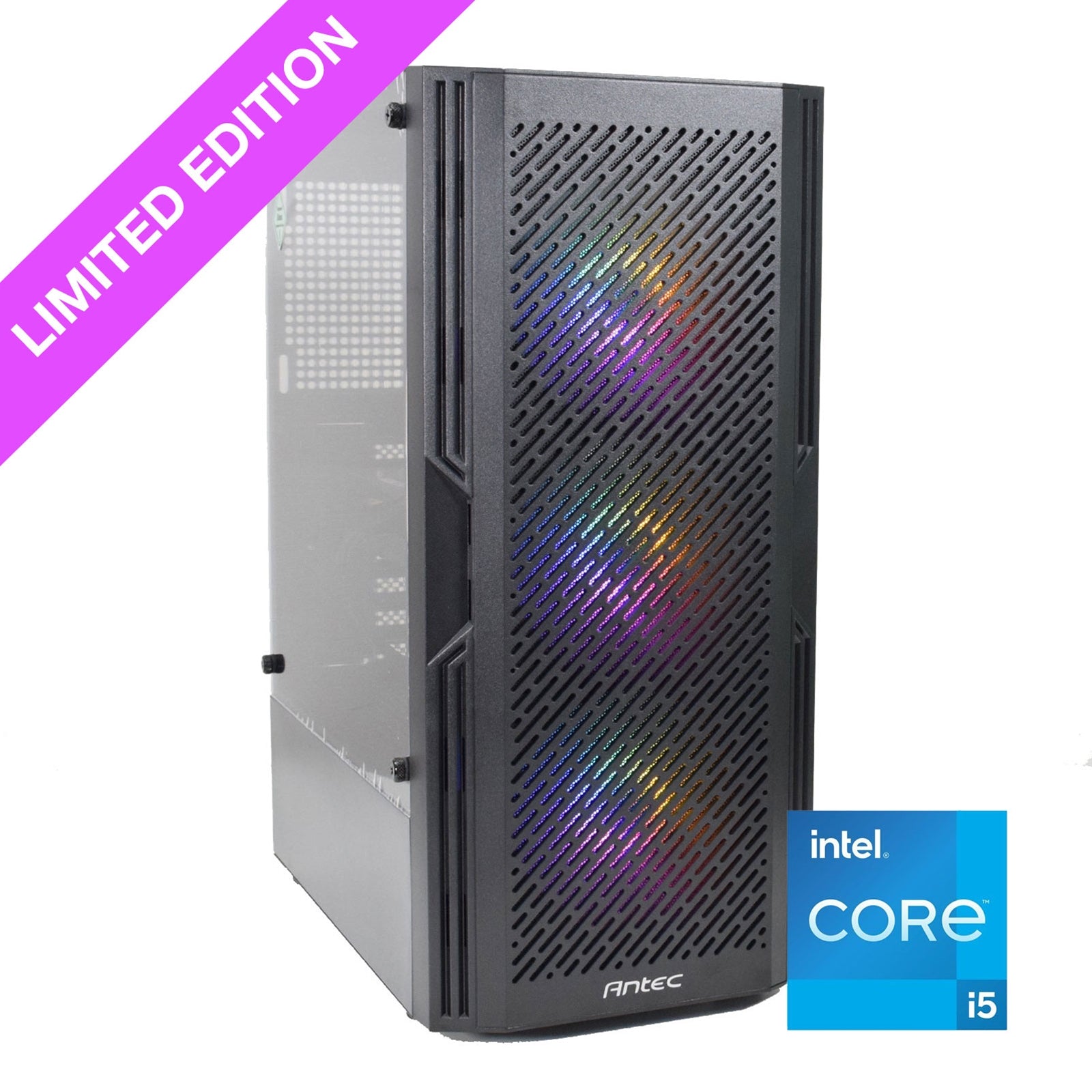
Antec AX67 ARGB Midi Tower Black
Regular price £29.59 -


Vendor: Kingston Technology
Kingston Technology FURY Beast 32GB 5200MT/s DDR5 CL40 DIMM RGB
Sale price £167.66Regular price £231.10 -

Vendor: Strong
Strong LEAP-S3UK Google TV Certified Smart 4K HDR Android TV Box
Regular price £31.59 -


Vendor: Kingston Technology
Kingston FURY Beast (KF556C36BBEK2-128) | 128GB (64GB x2) | DDR5 | 5600MT/s | Memory DIMM | Black
Regular price £600.15